
Overview
Learn how to connect your Old Dominion Freight Lines (ODFL) account to ShipperHQ to offer customers real-time LTL Freight rating via your Old Dominion account.
Table of Contents- Overview
- Requirements
- Registering for Old Dominion Credentials
- Adding Old Dominion
- Steps to Validate This Carrier
- Freight Shipping Configuration
- Optional
Requirements
Registering for Old Dominion Credentials
- Call Old Dominion Transportation Services at 1-800-235-5569 to become a customer.
- Register for online management by clicking Sign Up on their website.
- Receive a confirmation email from Old Dominion within one business day.
Adding Old Dominion
With your credentials ready, follow these steps to set up Old Dominion in ShipperHQ.
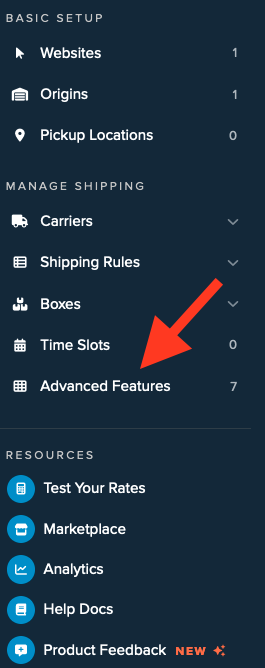
- Log into your ShipperHQ account and navigate to the Advanced Features link on the left navigation menu.
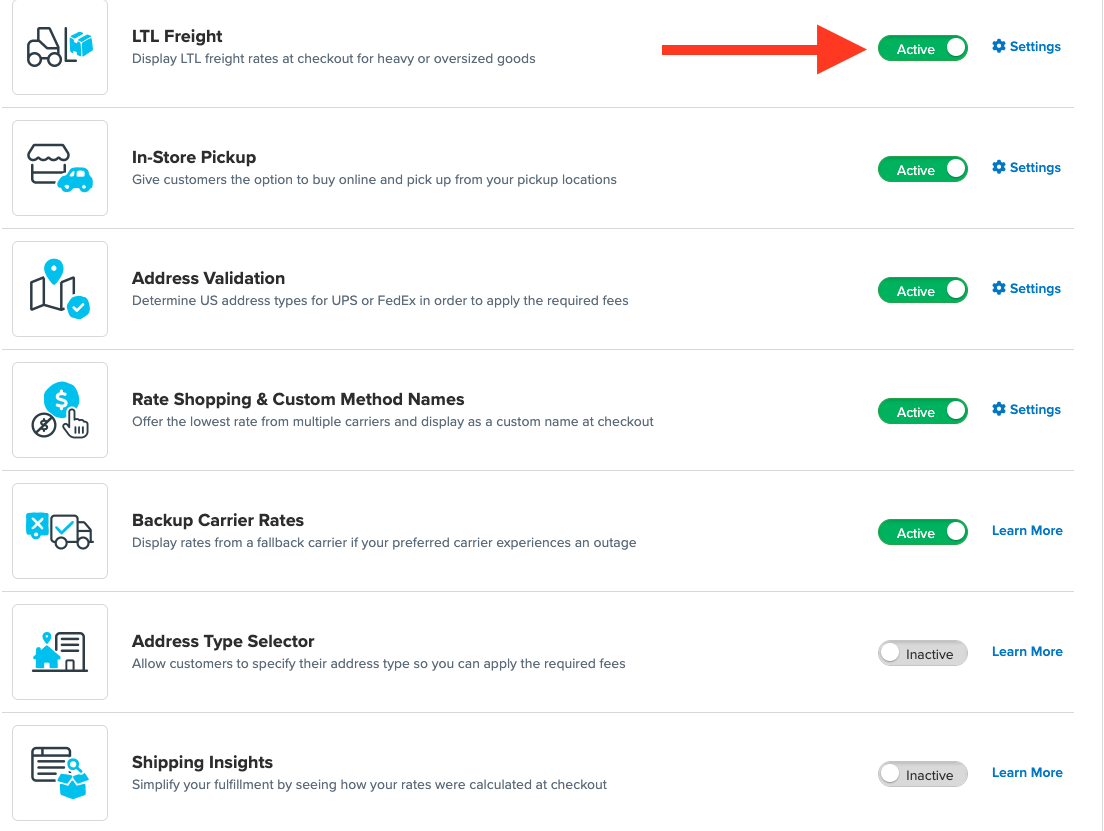
- Click to enable the LTL Advanced Feature.
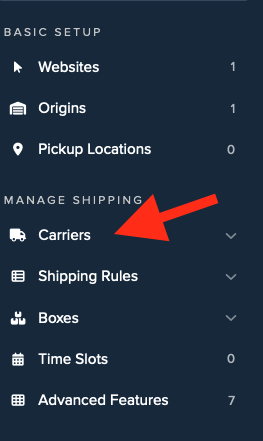
- Once LTL is enabled, navigate to the Carriers link on the left navigation menu.
- Click + New to add a new carrier.

- Choose the Live Rate Carrier option.
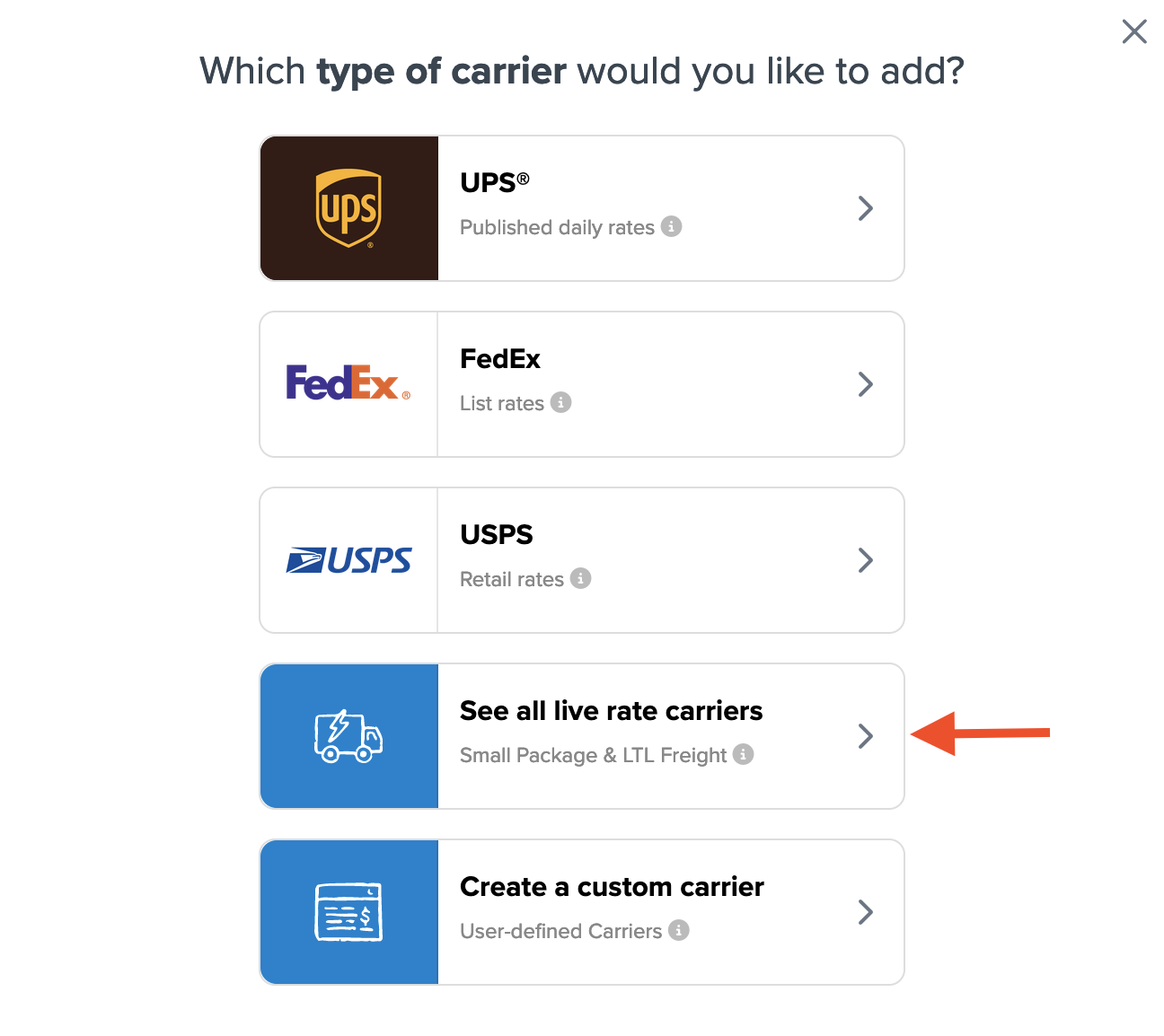
- Use the Search Carriers option to find Old Dominion or scroll down the list of available carriers.
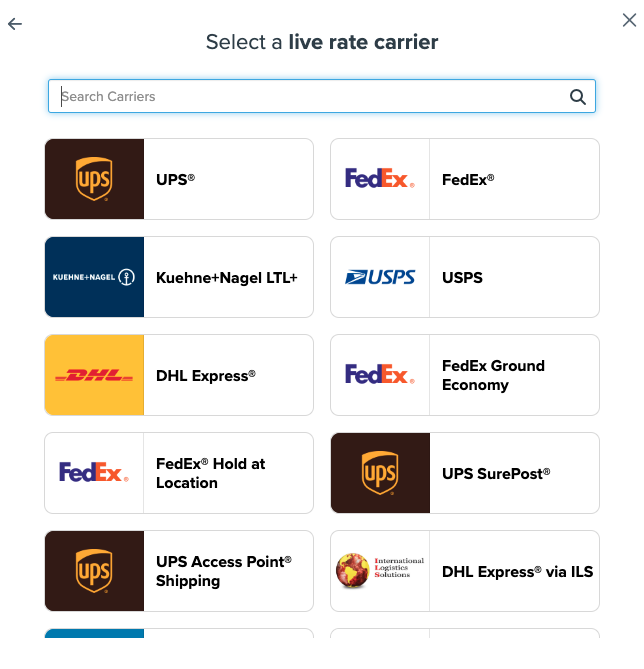
- Click Old Dominion.
💡 Adding Old Dominion requires the LTL Freight advanced feature. If you do not have this feature enabled, follow these steps during installation:- Click the toggle button to enable the LTL Freight feature
- Click the Continue button
-
Click to continue in connecting your carrier account to ShipperHQ.
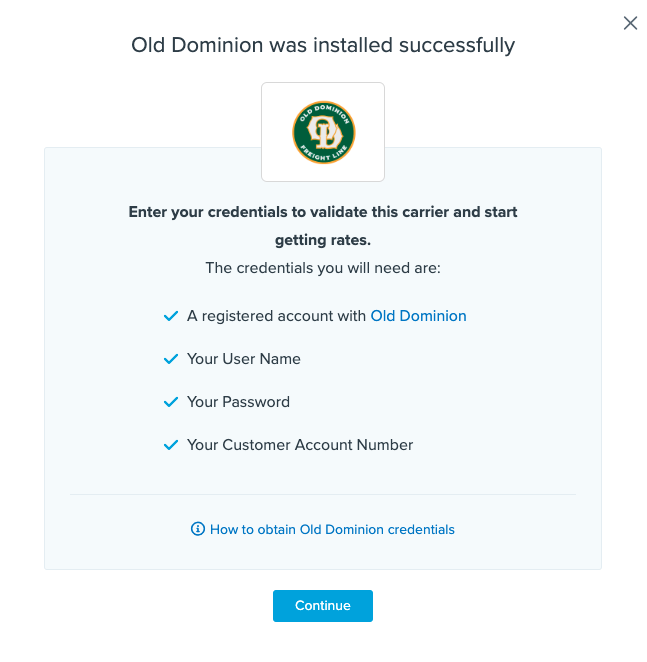
Steps to Validate This Carrier
- Enter the following credentials provided by Old Dominion:
- User Name
- Password
- Customer Account Number
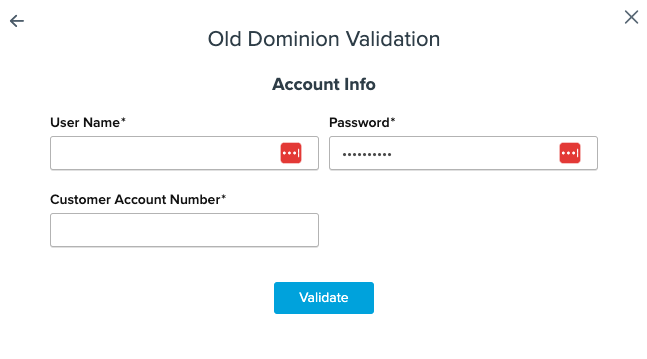
- Once these details are entered, click the Validate button to complete the validation process.
⚠️ If validation fails, please Notify ShipperHQ Support for further assistance, or review your credentials and try again. - If validation is successful, click the toggle button to enable the Old Dominion carrier.
- Click the Configure This Carrier button if the validation process was successful.
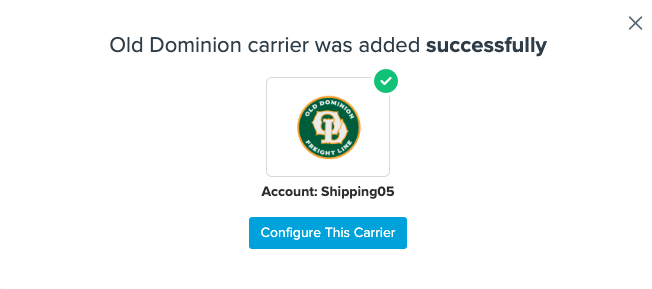
- Edit any settings for this carrier, then click Save to complete the setup.
- Your Old Dominion carrier is now enabled and ready for configuration. ✅
Freight Shipping Configuration
Use any of the following links to configure your Old Dominion carrier:
- Setting Weight Thresholds for Oversized Carts
- How to Set Items that Must Ship Freight
- Setting Up Shipping Groups
Optional
Explore more configuration options with these links: