
Table of Contents
- ShipperHQ Dashboard
- Live Rate Carrier Methods
- Custom Table Rate Carrier Methods
- Using Promotions in Magento 2
- Advanced
- Troubleshooting
- Using Promotions on Other Platforms
This guide outlines how to offer free shipping to customers when they use a discount code during cart and checkout.
ShipperHQ Dashboard
Live Rate Carrier Methods
To specify the carriers or shipping methods that will be free with a coupon code, edit the relevant carrier in ShipperHQ. Head to the "Optional" tab to see the Free Shipping Promotions section. Here, you can select the method that the coupon promotion should apply to, such as setting free shipping for UPS Ground. 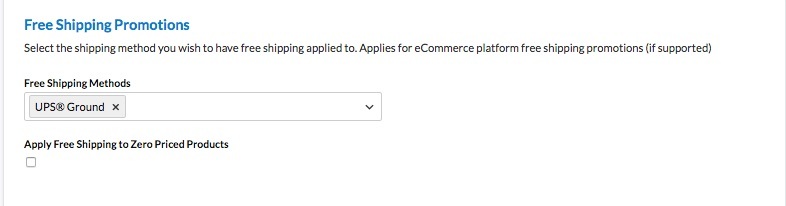
Custom Table Rate Carrier Methods
For Table Rates carriers, go to Carriers > select Carrier > Basic (tab) > Shipping Methods, then edit the desired method. Tick Free Method for Shipping Promotion Rules and click update. 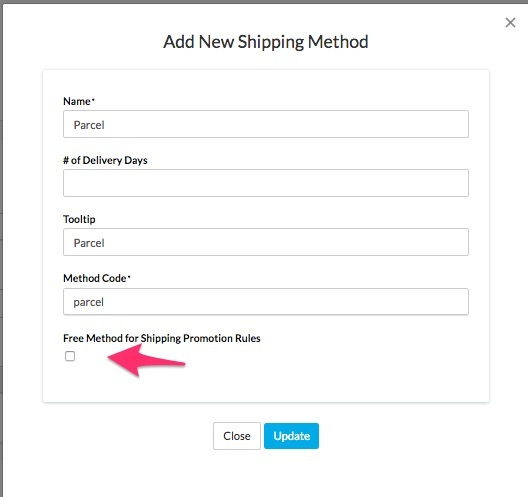
Using Promotions in Magento 2
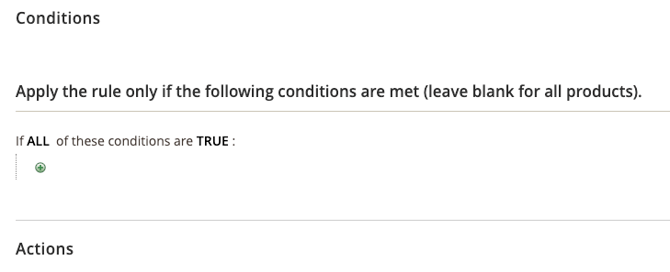
To set up a promotional rule in Magento 2, navigate to Marketing -> Cart Price Rules. Here are screenshots showing the coupon code setup for free shipping (click for a larger version):
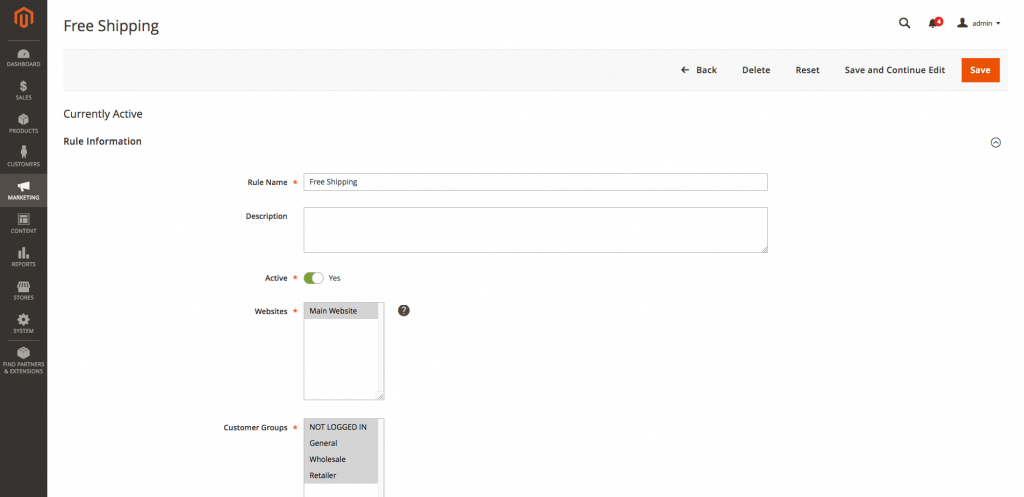
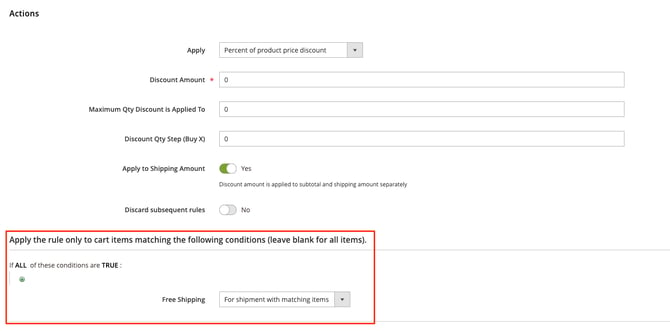
Once you have started a new Cart Price Rule, the "Free Shipping: For Shipment with matching Items" is what will recognize the shipping methods at checkout.
Advanced
In some cases, you might want to filter by attributes (like origin) when using promo rules. Generally, you can create shipping rules based on combinations of origins, weights, prices, etc. To do this, go to Catalog > Attributes > Manage Attributes > (attribute name), set "Use for Promo Rule Conditions" to "Yes" in properties, and save. Then you can select that attribute as a condition in the promo rule configuration.
Troubleshooting
ERROR: "ShipperHQ shipping methods are missing within the promotional rules" indicates the need to refresh available carriers.
Magento 2
- Navigate to
Stores->Configuration->Sales->Shipping Methods->ShipperHQand resave the page - Obtain a shipping rate on the front end
Using Promotions on Other Platforms
Shopify
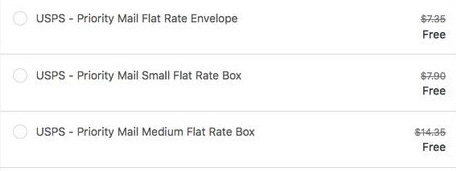
You can create free shipping discount codes following Shopify's instructions, but these codes will override all shipping rates from ShipperHQ. Below is an example of a Shopify discount code overriding a live rate returned through ShipperHQ.
BigCommerce
Coupon codes are available on BigCommerce via the ShipperHQ Plus app, currently in Beta. If interested in the Beta phase of ShipperHQ Plus for BigCommerce, please contact us or email Support@ShipperHQ.com. For detailed steps, see our coupon code instructions for ShipperHQ Plus.
WooCommerce
ShipperHQ for WooCommerce doesn't currently support free shipping promotions applied to ShipperHQ methods. Promotional codes for Free Shipping used at your WooCommerce checkout will not interact with ShipperHQ methods.