
Table of Contents
- Overview
- How the Default Weight Setting Works
- Platform-Specific Behavior
- Additional Benefits of Default Weight
Overview
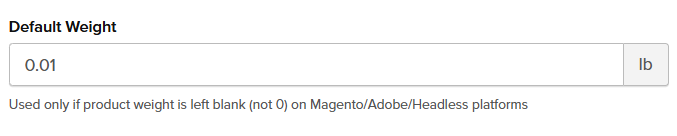
The Default Weight option under Global Setting in ShipperHQ acts as a fallback when a product's weight is either empty or set to null. This ensures that all weight-related calculations and requests are processed smoothly, even when specific product weights are missing.
How the Default Weight Setting Works
- If a product’s weight is set as an empty string (
"") or null, the Default Weight value will be applied for rate calculations. 😊
Platform-Specific Behavior
Magento

- Magento allows a blank weight, translated to null in API requests.
- When Magento sends a request with a null weight, the Default Weight global setting in ShipperHQ is triggered.
- Options include:
- Leaving the weight blank (which applies the default weight)
- Setting a specific positive weight value
- The weight value cannot be 0 or negative ⚠️
All Other Platforms
- A positive number value is required for both new and existing products.
- If no weight is provided, an error often occurs, necessitating a weight entry.
- For some cases, products are set up with a weight of 0. When that happens, ShipperHQ can’t return shipping rates, and carriers may show errors.
Additional Benefits of Default Weight
While the Default Weight setting was originally crafted for Magento, it also aids:
- Headless integrations using ShipperHQ APIs
- Custom API implementations, ensuring requests without a weight value are handled correctly
By understanding how this setting operates, you can ensure accurate weight management across diverse platforms and integrations.