
Table of Contents
Overview
In some circumstances, you may want to set up shipping rates that are user-defined based on the box dimensions. For instance, you might want a rule that sets a 5x5x5 box at $10 per box, and a 10x12x12 box at $15 per box. Depending on the items in the cart, ShipperHQ will calculate which box to use and apply the shipping rate. Here's a quick rundown on setting it up. 😊
Requirements
💡 Dimensional Packing is supported on most Custom Rate carriers, including Table Rates and Flat Rates, but is not available for Free Shipping, In-Store Pickup, and Same Day Carriers.
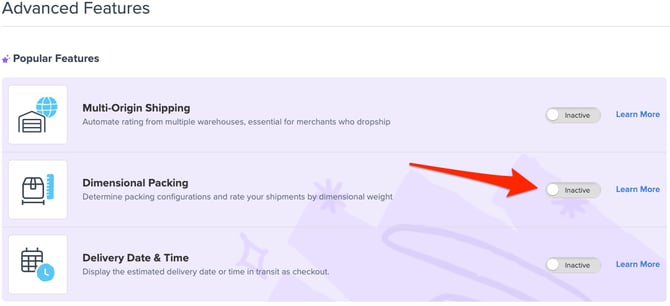
- Ensure Dimensional Packing is enabled in Advanced Features > Dimensional Packing > Enable
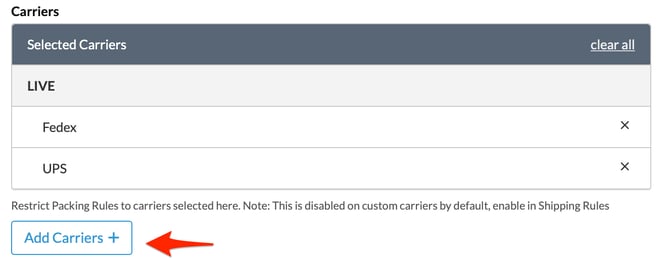
- If you have Packing Rules restricted to specific carriers, Go to Advanced Features > Dimensional Packing > Settings to add your carrier to the list of selected carriers.
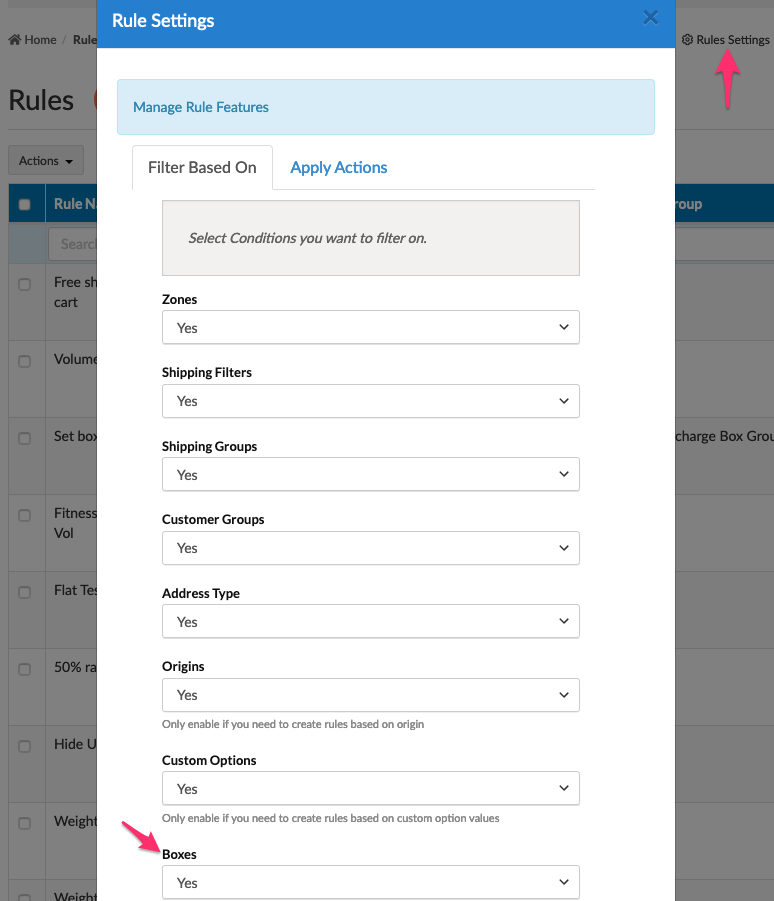
- Go to Shipping Rules > Settings (top right-hand corner) > Boxes > Yes

Packing Rule Setup
Set up your Packing Rules on your website. This is covered in How to Set Up Rules Based on Boxes.
Carrier Setup
- Create a user-defined carrier.
- Use shipping rules to modify the custom rates' carrier's shipping rates.