
Table of Contents
- Applying a Surcharge or Discount to the Entire Cart
- Limitation: Different Carriers Across Shipments
- Additional Resources
Overview
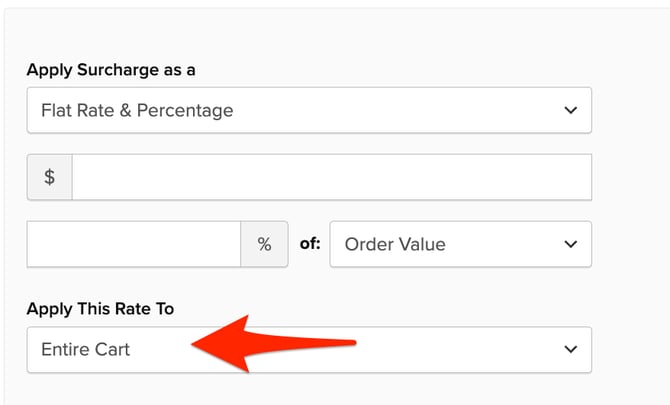
When an order contains items shipping from multiple origins, ShipperHQ splits those items into separate shipments. By default, a Surcharge or Discount Rule applies independently to each shipment. To apply a flat or percentage-based fee just once across the whole order, set the Apply This Rate To field to Entire Cart when creating or editing the rule.
Applying a Surcharge or Discount to the Entire Cart
- Go to Shipping Rules and open an existing rule or click +New.
- From Actions, select Surcharge Rates or Discount Rates and enter the amount.
- Set Apply This Rate To to Entire Cart.
- Complete your shipping method selections and any conditions, then save.
After saving, use Test Your Rates in the Dashboard to confirm the fee appears once across the order.
Limitation: Different Carriers Across Shipments
When Entire Cart is selected, the fee applies once per carrier method. If each shipment returns a different carrier or service, the surcharge or discount applies once per method before ShipperHQ merges the rates together.
This means it isn't possible to apply a single fee per order when shipments return different carriers.