Table of Contents
- How It Works
- Requirements
- Creating the US 48 Shipping Zone
- Creating the Free Shipping Rule
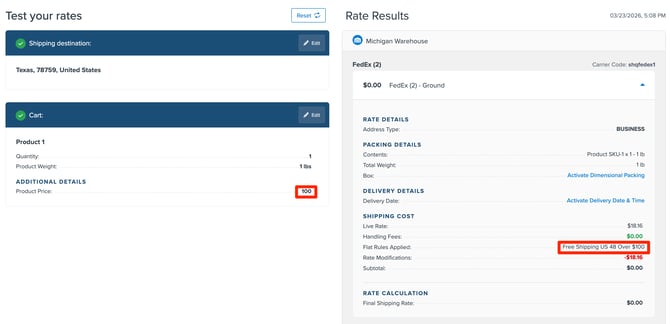
- Testing Your Rule
In this guide, you'll learn how to offer free shipping to the continental United States when the cart total reaches $100 or more.
How It Works
ShipperHQ uses Shipping Zones to define geographic regions and Shipping Rules to modify rates based on cart conditions. When a customer's delivery address is in the continental US (excluding Alaska and Hawaii) and their cart reaches $100, ShipperHQ automatically makes the selected shipping method free.
Requirements
- At least one active carrier configured in ShipperHQ
- Shipping methods available for US domestic delivery
The US 48 Shipping Zone
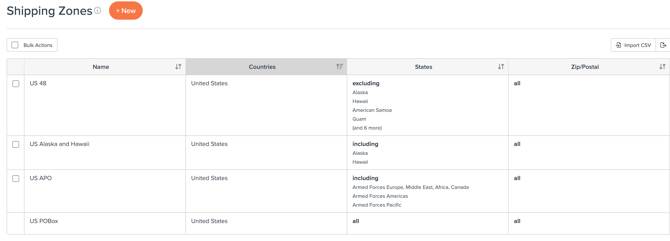
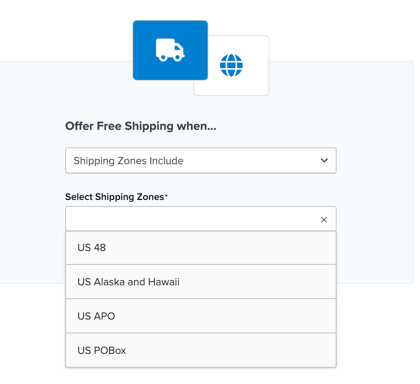
By default, ShipperHQ loads in the US 48, US Alaska and Hawaii, US APO, and US PO Box, zones.
Creating the Free Shipping Rule
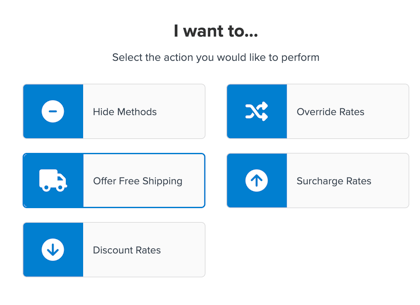
Go to Shipping Rules and click +New. Select Offer Free Shipping as the action.
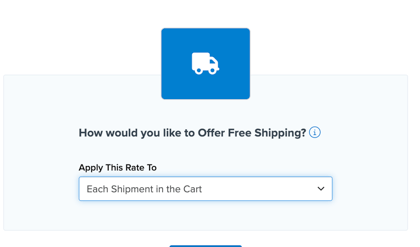
Under Apply this Rate To, select Each Shipment in the Cart.
Under For These Shipping Methods, select the methods you want to offer for free.
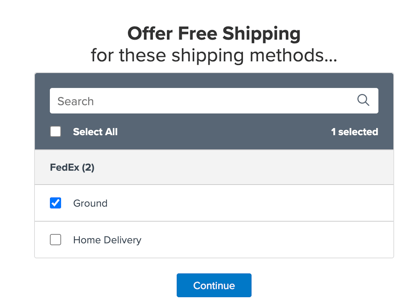
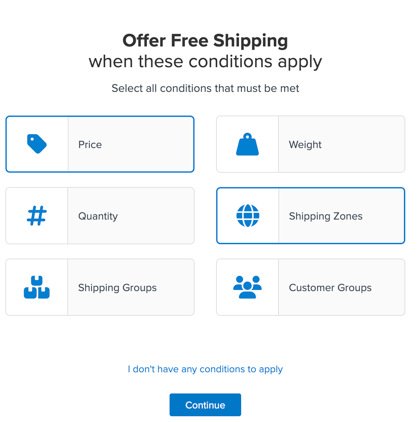
Click Continue. Under Offer Free Shipping when these conditions apply, select Price and Shipping Zones as the condition.
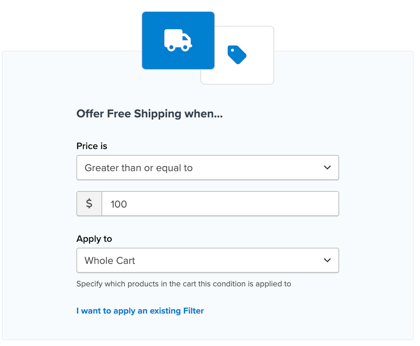
Enter "100" and choose Price is Greater than or Equal to with Whole Cart selected.
Under Shipping Zones Include choose your US 48 zone from the dropdown.
Enter a name like "Free Shipping US 48 Over $100" and click Finish.
Testing Your Rule
Go to Test Your Rates in the ShipperHQ dashboard, enter a continental US address, add products totaling $100 or more, and verify the shipping methods show as free.