
In this scenario, the minimum weight required for the LTL carrier to return is 150 lbs.
Step 1: Create a Shipping Group
Create a new Shipping Group and set it to Must Ship Freight. This ensures the group attempts to return freight options whenever it appears in the cart.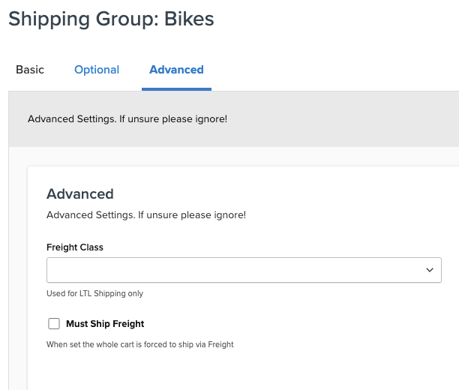
Step 2: Configure Small Parcel Behavior
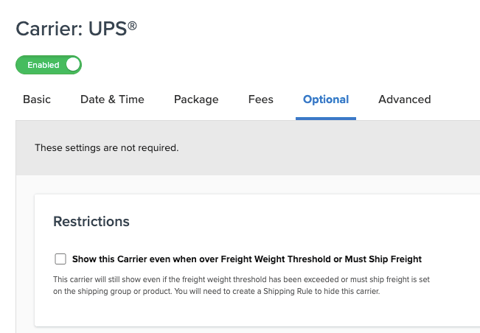
Enable the setting that allows small parcel carriers to return if LTL returns. This keeps parcel options available unless intentionally hidden by rules.
Step 3: Create a Rule to Hide LTL Until Conditions Are Met
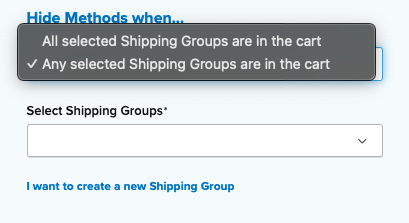
Create a rule that hides LTL carriers when the following conditions are true:
-
The shipping group is in the cart (Set to: Any)
-
The total cart or Shipping Group specific weight is less than 70 lbs
This rule hides LTL as long as the group is present and the cart or Shipping Group specific weight is below 70 lbs.
Because the shipping group is marked as Must Ship Freight, the system attempts to return LTL, but the rule prevents LTL from appearing until the threshold is met. Additionally, the LTL carrier's 150 lb minimum weight ensures that other carts (those without this shipping group) do not return LTL either.
Optional: Create a Rule to Hide Small Parcel When Needed
If you also need to hide small parcel once the shipping group exceeds 70 lbs, create an additional rule:
-
Hide small parcel when the same shipping group is in the cart
-
And the cart or Shipping Group specific weight is greater than 70 lbs
This ensures that once the cart crosses the weight threshold, only LTL options are shown.