
Overview
The perUnitWeight algorithm is an optional setting in the Algorithm column of a Table Rate Carrier. It lets you charge a fixed amount for every unit of weight in a shipment, rather than using a single flat rate or a weight range bracket.
The algorithm takes two values: a weight threshold and a price per threshold. The syntax is:
perUnitWeight=[threshold]@[price]For example, perUnitWeight=1@0.14 means: charge $0.14 for every 1 lb of shipment weight.
When the threshold is set to 1, ShipperHQ counts how many full units of 1 lb are in the shipment. Any weight above a whole number gets rounded up to the next full pound. A shipment weighing 1.25 lbs is treated as 2 lbs — and charged accordingly.
For many products this is acceptable, but for lighter items — supplements, spices, small hardware, jewelry — fractional weights are the norm, and rounding up means customers are consistently overcharged.
Table of Contents
How It Works
When you use the perUnitWeight algorithm in a Table Rate Carrier, ShipperHQ applies a per-unit charge based on a weight threshold you define. By default, many merchants set the weight threshold to 1 (one pound), which causes ShipperHQ to round up to the nearest full pound when calculating rates.
For example, a shipment weighing 1.25 lbs would be rated as 2 lbs when the weight threshold is set to 1. This results in overcharging customers on shipments with fractional weights — common for products like jewelry, supplements, spices, or small hardware.
To charge by decimal weight instead, reduce the weight threshold to 0.01 and adjust the per-unit price proportionally. This tells ShipperHQ to calculate rates at the hundredth decimal place rather than rounding to the nearest pound.
Configuring Decimal Weight Precision
To apply rates based on decimal weight, update the Algorithm column in your Table Rate Carrier's rate row:
- Go to Carriers › Table Rate Carrier and open the rate table.
- Locate the row where
perUnitWeightis configured. - Update the Algorithm column value from
perUnitWeight=1@[price]toperUnitWeight=0.01@[adjusted price]. - Save your changes.
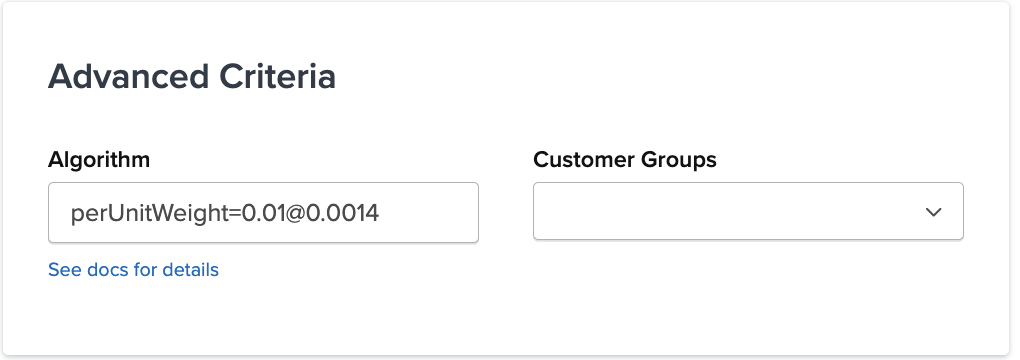
Example
If your current configuration charges $0.14 per pound:
| Configuration | Algorithm Value | Behavior |
|---|---|---|
| Per full pound (rounds up) | perUnitWeight=1@0.14 |
1.25 lbs → charged as 2 lbs |
| Per hundredth pound (decimal) | perUnitWeight=0.01@0.0014 |
1.25 lbs → charged as 1.25 lbs |
The adjusted price is calculated by dividing the original per-pound rate by 100:
$0.14 ÷ 100 = $0.0014 per 0.01 lb
This produces the same rate per pound, but applies it at the hundredth-decimal level so fractional weights are charged accurately.
Note: If you use multiple algorithm switches in the same row, combine them with
&. For example:perUnitWeight=0.01@0.0014&perUnitQty=3.